Paper templates
If you would like to contribute to an existing project, jump to the edit-the-paper section.
The paper development process is based on markdown, git, Docker, pandoc, and csl. The goal is to support the collaborative writing process effectively, building on powerful open source tools, and supporting efficient production of documents for submission.
Start your manuscript development by using the Markdown template. This template provides a structured format for your initial drafts, helping to organize content efficiently.
Initial setup
This section explains how to install the environment and build the paper. Git, Docker and make are required. The following steps describe how to
- Set up the repository (create a new one or contribute to an existing one),
- Set up the paper production pipeline, and
- Build the paper
The manuscript template creates the following files (additional files for the analysis can be added)
├── README.md     <- Readme containing summaries of the paper's revisions (completed
│                    and ongoing). Revision sheets are created from this document.
├── paper.md      <- Contains the paper
├── Makefile      <- Contains instructions to build the paper (as pdf or docx),
│                    and run the analyses (if a Makefile exists in the analysis
│                    directory)
├── Dockerfile    <- Describes the pandoc container for building the paper
│                    (called by the Makefile)
├── literature    <- Directory containing literature summaries for Obsidian
├── figures       <- Directory contains all conceptual figures
├── output        <- Directory contains all output, such as data plots and
│                    tables, which is generated by the scripts (do not store
│                    anything else that is not generated by the scripts in this
│                    directory)
└── .gitignore    <- Contains a list of files that are excluded from git
                     versioning (e.g., paper.pdf, which would create conflicts
                     when merging changes)
Templates (*.docx, *.tex) and styles (*.csl) are versioned in the paper repository. This can be accomplished by using the code in comments at the beginning of the Makefile.
1: Set up the repository
Option 1: Create a new repository
- Select a short and pronounceable title for the paper
- Do not refer to papers by their target journal (e.g., “the Journal of Information Technology paper”)
- Use labot to set up the paper:
labot paper --initgit clone git@github.com:digital-work-lab/paper-template.git
# MANUALLY rename the folder using a short project title
# remove the .git directory containing older versions
rm -rf .git
# repo setup:
git init
# MANUALLY create paper (update titles etc.)
mkdir analysis data figures output
pre-commit install
cd .git/hooks
cp ../../post-xxx-sample.txt post-checkout
cp post-checkout post-merge
cp post-checkout post-commit
rm ../../post-xxx-sample.txt
cd ../..
git add .
git commit -m 'initial commit'
make pdf
# connect to git remote
# MANUALLY update url in the following line
git remote add origin https://github.com/....
git branch -M main
git push -u origin main
# MANUALLY invite coauthors/provide access to the remote repository
# git clone template-repository
# git clone https://github.com/citation-style-language/styles
# MANUALLY symlink the templates and styles reposOption 2: Contribute to an existing repository
# pull repository
git clone git@github.com:digital-work-lab/...
pre-commit install
2: Set up the paper production pipeline
# Build the Docker container
make build
# MANUALLY select a citation style by updating the link at the beginning of the Makefile
# MANUALLY select templates for docx/tex by updating the link at the beginning of the Makefile3: Build the paper
make pdf
make docx
Edit the paper
The paper is written in markdown. There are three ways to edit a paper:
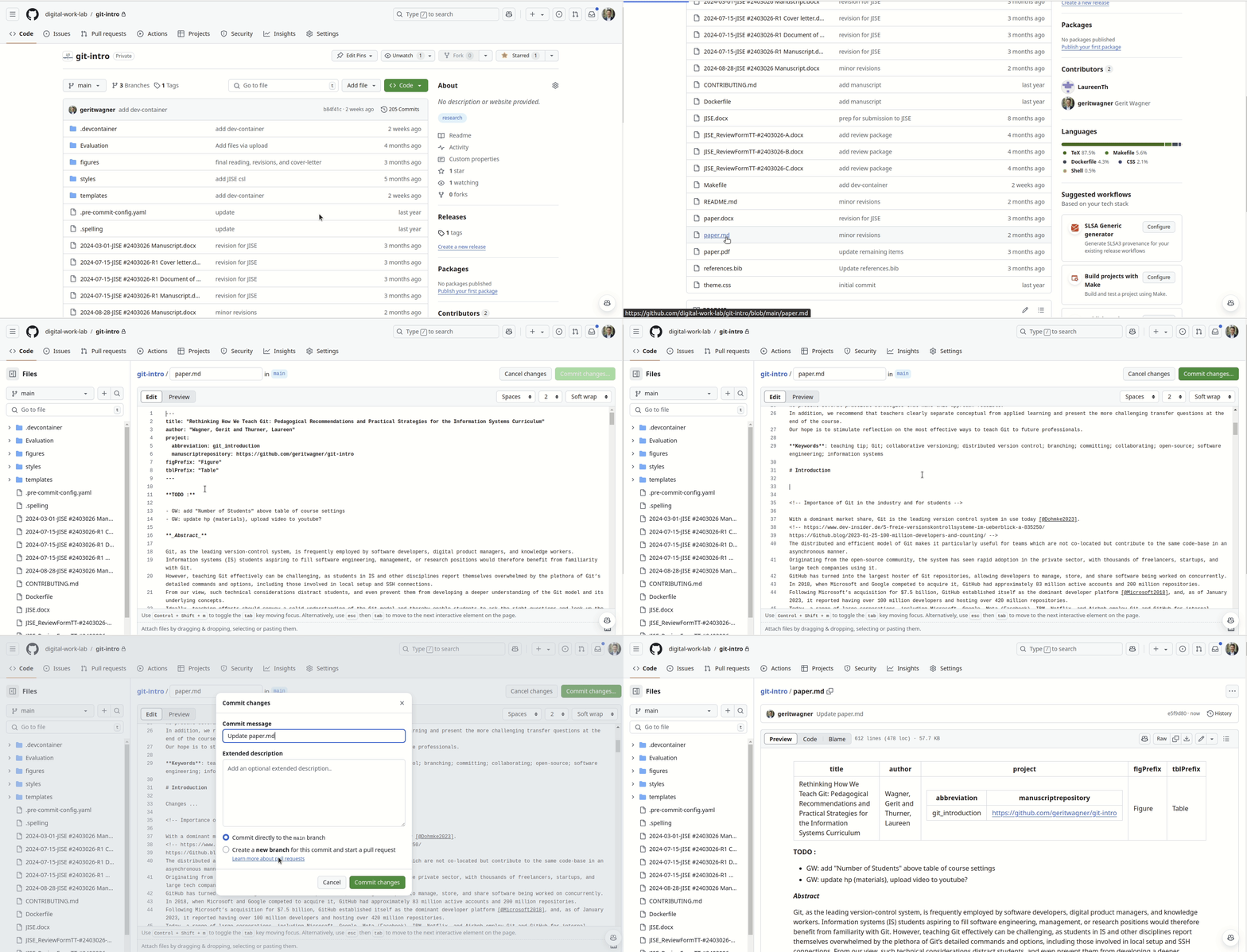
GitHub Edit
- Does not support PDF/DOCX generation
- Does not support commits changing multiple files
- Requires an Internet connection
- No setup required
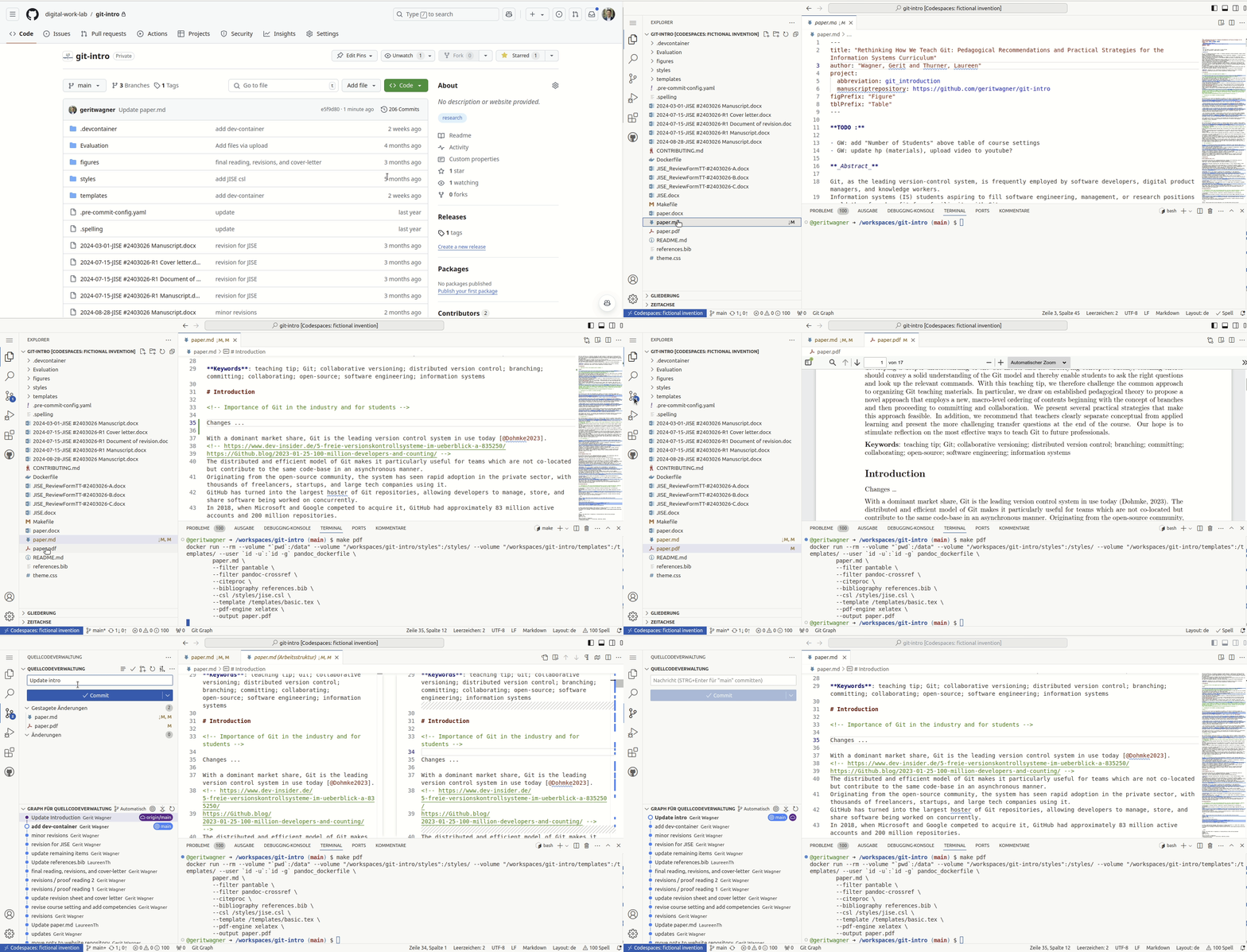
Codespace Edit
- Supports PDF/DOCX generation
- Supports all types of commits
- Requires an Internet connection
- No setup required
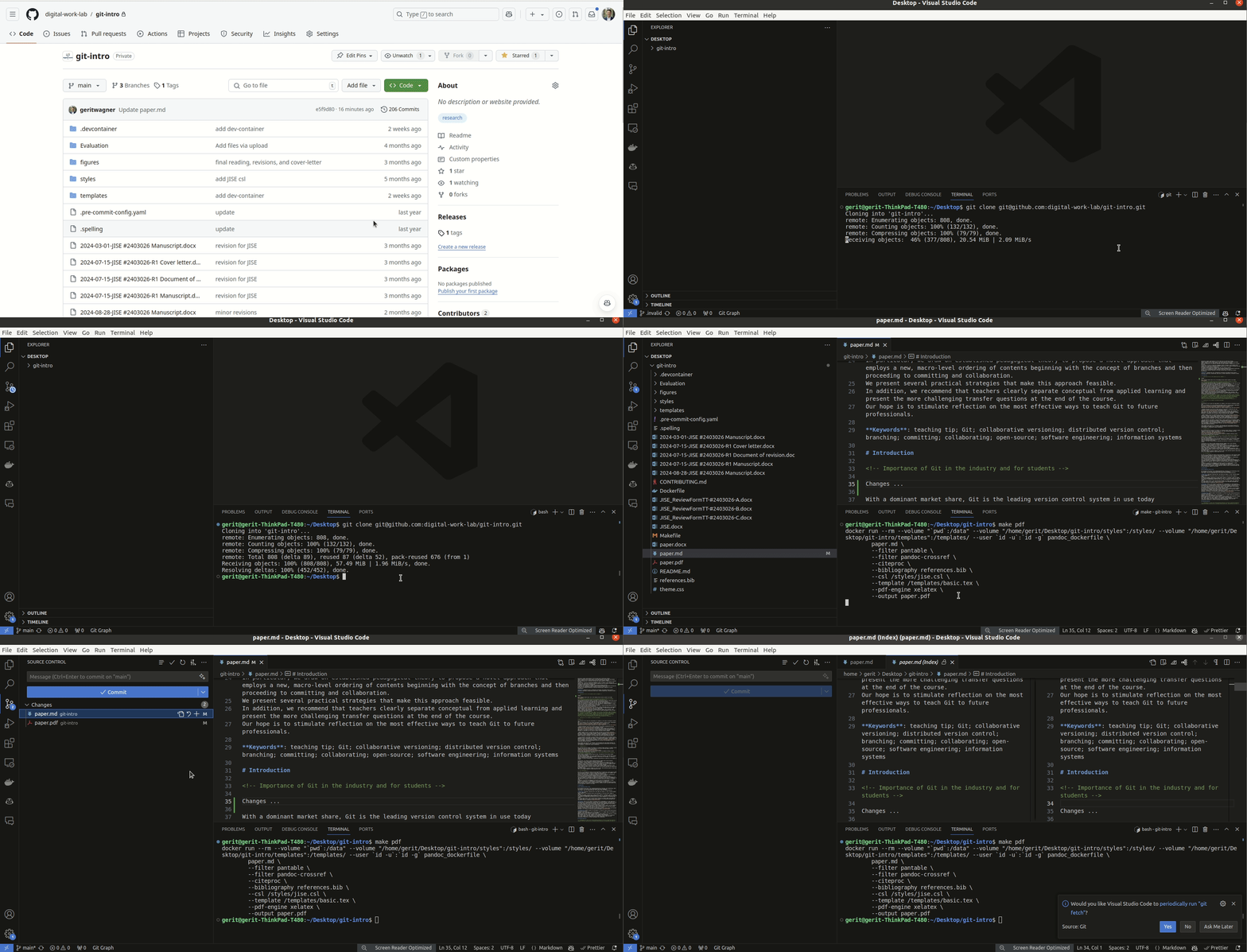
Local Edit
- Supports PDF/DOCX generation
- Supports all types of commits
- Does not require an Internet connection
- Requires some setup
Markdown hints
Useful guides on markdown are available online (1, 2). A short overview is in the markdown kitchen sink section.
It is good practice to
- Begin each sentence in a new line to make the history more readable and to make merging easier (see semantic line breaks).
See citations and reference sections
Literature summaries: Obsidian
Literature summaries for each paper are stored in Obsidian format in the literature directory.
Resources
The paper-template is based on the following underlying architectural principles and considerations.
- Minimal functionality: the most frequent use cases (writing, citing, creating submission files in docx/latex format with different templates and citation styles) must be supported in a highly efficient way. More complex functionality (such as tables with merged cells and detailed formatting) is used less frequently (requiring less effort if not supported in an efficient way). It may also create fewer problems (e.g., merging complex tables - as in Word/comparisons of tables)
Advantages of the markdown/pandoc workflow:
- Separation of content and format
- Collaboration and versioning of text with Git
- Relying on active open source projects such as the CSL standard
- Flexibility regarding the bibliography type (pandoc supports .bib, .enl, …)
- Combined writing and comments in the same document
- Reproducibility across platforms
- Generating docx/tex/pdf as output
Since the underlying open source projects (especially CSL, pandoc, pandoc-citeproc) evolve constantly, it is recommended to work with the latest versions. This is a limitation of the popular manubot project or pandoc scholar, which work with old versions of pandoc (which may be hard to update).
Possible extensions (lua-filters): bibexport, abstract-to-meta, spellcheck, wordcount.
TODO: integrate this (should it be paper (template) or project (repository setup)?):
Papers are cited using the citation keys in the references.bib file and the citation syntax @Webster2002 or [@Webster2002]. Groups of in-text citations should be sorted alphabetically (especially if a prefix is used), i.e., use [e.g., @Bacharach1989; @Gregor2006a] instead of [e.g., @Gregor2006a; @Bacharach1989].
The syntax is based on the citation syntax (see CSL).
To add papers that are cited in the figure to the reference section, include the following in the YAML header of paper.md:
---
title: ...
author: ...
nocite: |
  @citation_key
---
Further Information on the citation syntax is available in the pandoc manual.
Figures can be included as follows and referred to as @fig:distribution. Further information on pandoc-crossref is available online.
{#fig:distribution width=300px}To ensure compatibility with pandoc word and latex conversion, figures should be included as jpg/png. For the final versions, vector graphics (PDF, EMF) should be included for Latex/Word respectively.
Formulas can be included as follows:
$$ P_i(x) = \sum_i a_i x^i $$ {#eq:eqn1}Tables can be created with GridTables (which is displayed in PDF and Word documents):
+---------------------+----------+
| Property            | Earth    |
+=============+=======+==========+
|             | min   | -89.2 °C |
| Temperature +-------+----------+
| 1961-1990   | mean  | 14 °C    |
|             +-------+----------+
|             | max   | 56.7 °C  |
+-------------+-------+----------+

Table: Findings {#tbl:findings}

We show the findings in @tbl:findings.Footnotes:
Text with a footnote [^1].

  [^1]: Example footnote.
Information on references and citations is in editing-markdown-paper section.
Books: bookdown project.